
Upgrading and Repairing Laptop Components: What You Need to Know
Upgrading or repairing a laptop can be a tempting way to extend its life or boost performance. Unlike desktops, however, laptops are notoriously finicky when it comes to hardware compatibility. Understanding the limitations and standards can save you time, frustration, and possibly a broken laptop.
Motherboards and Cases: Unique by Design
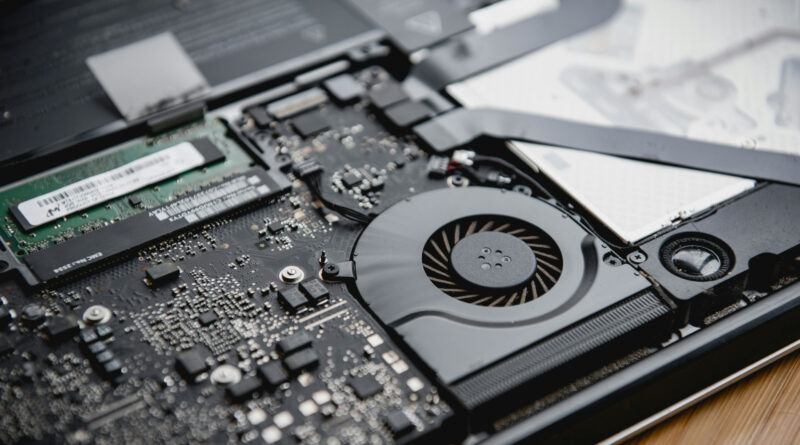
One of the biggest hurdles in laptop upgrades is the motherboard. Unlike desktop PCs, laptop motherboards are almost always custom-designed for their specific model. Plastic case moldings, keyboards, ports, and internal layouts are tailored to the board they house, meaning swapping a motherboard from a different model—or even a different generation of the same line—is usually impossible. Exceptions exist within the same model line, where minor revisions might be compatible, but these cases are rare.
Standardized Components: Hard Drives and RAM
Some parts of laptops are standardized across generations, making upgrades more feasible.
- Hard Drives: Older laptops used IDE drives, which have largely been replaced by SATA drives. Today, M.2 SSDs are becoming standard, offering faster speeds and smaller footprints. Within a generation, these drives are usually interchangeable, though interface type and physical size must be checked.
- RAM: Memory modules are another standardized component. DDR3 and DDR4 have dominated recent laptop generations. While the interface is standardized, it’s important to match the RAM type and maximum supported capacity of your specific motherboard.
These standards make certain upgrades relatively straightforward, but always double-check specifications before purchasing new components.
Research Before You Start
Before opening your laptop, it’s critical to know your model inside and out. Search for:
- Official guides or manuals from the manufacturer
- Video tutorials showing your exact model
- Forum posts describing similar upgrades or repairs
If documentation is sparse, AI tools like ChatGPT or Gemini can help generate step-by-step guidance based on your model or a close approximation. Cross-referencing multiple sources can reduce mistakes, especially if your exact model hasn’t been documented.
Bottom Line
Laptop upgrades are a mix of custom design and standardized components. Motherboards, cases, and keyboards are mostly unique, while drives and RAM have more interchangeability. Thorough research—combining manuals, videos, forums, and AI resources—is essential before attempting any repair or upgrade. With careful preparation, you can safely extend the life of your laptop without turning it into a paperweight.